The page contains some of the guides, tools and additional rules I've used over the years of reading, writing and running tabletop RPGs. These tools can be used with pre-made adventures or if you are designing your own. I will continue to add to this list.
Here's a quick jump-to contents
Software & web apps | Guides | Maps, Dungeons & Minis | Music | D&D | Cairn | Mothership | Mausritter
Software & web apps
- Obsidian: I use Obsidian for all my TTRPG notes now. I make a vault for each new campaign and order content into locations, quests, mechanics, maps etc. Using backlinks is a fantastic way to leap between notes on the go without lots of scrolling back and forth.
- Improved Initiative: An absolute game-changer for preparing and running combat encounters - meaning you can focus more on the drama and less on the bookkeeping. Works flawlessly with D&D 5E and could be adapted to be used for other TTRPGs as well.
Guides
- The Monsters Know What They're Doing. Completely changed my 5E games but the thinking in here could be applied generally. This blog breaks down each monster and describes how they would act in and around combat based on their attributes and skills. I went looking for something like this when I realised that although the monsters I threw at the players were changing, they didn't feel that different. This blog changes all that. I read the creatures I'm going to play ahead of the session so I can remember roughly how they might act in the different situations the players throw at them.
- Giffyglyphs Darker Dungeons Amazing additional rules and ways of planning D&D 5E.
- Matt Colville's Running the Game: Every DM seems to know this excellent series but a fundamental one to watch if you haven't already.
- Mothership Warden's Operation Manual: Intended for Mothership but full of spot on advice that would help any GM.
Maps, dungeons and minis
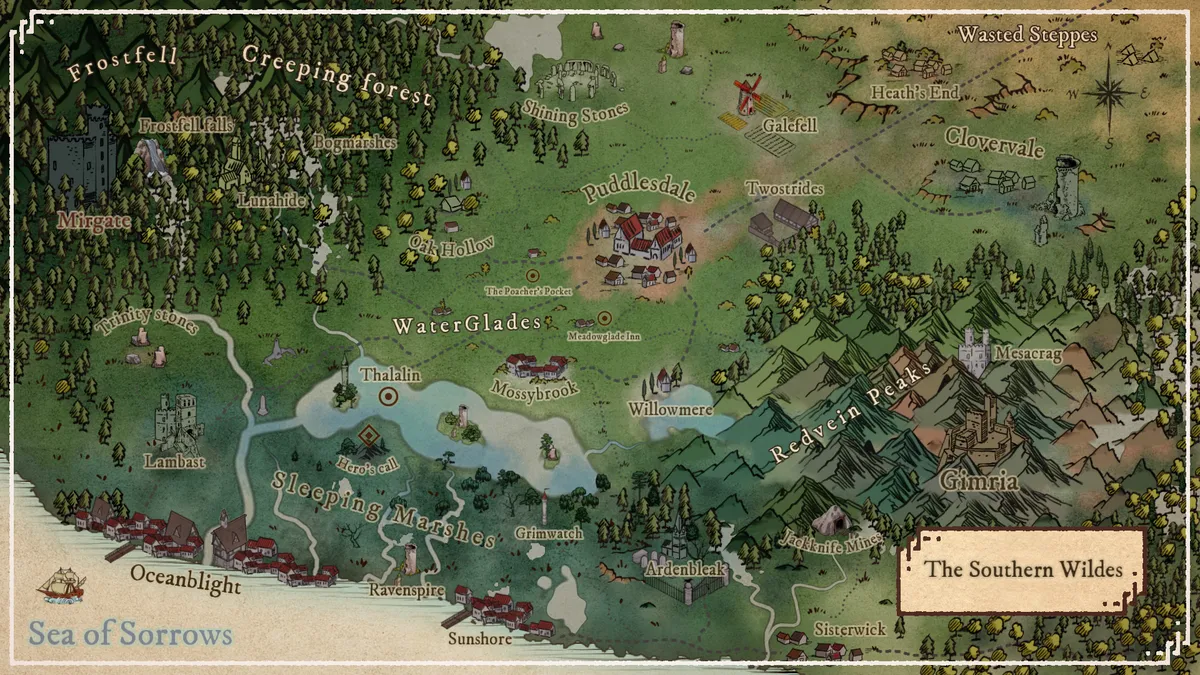
If you are planning your own adventures, you'll likely want to design some maps. There are loads of map builders out there - with both free and paid plans. The detail on some is incredible but I have to say, the more I've played, the more I've felt that quick and simple is better.
- Generators:
- The Donjon Random Dungeon Generator and Five Room Dungeon Generator
- One page dungeon is an amazing random dungeon generator. Right click on the image and notes for more options. Also check out Perilous Shores for a random overworld map generator.
- Drawing:
- Mipui is free and simple but I now use it to make most of my dungeon / room maps. Changing to the classic map view looks a lot better.
- Dungonscrawl similar to above, faster but with some paid elements.
- Wonderdraft a very straightforward reasonably priced overworld map creator that quickly gives nice results. There's lots of extra assets you can buy (like CartographyAssets or Fantasy Map Assets) if you need but the basic pack is absolutely fine - for example, I made the above in a few hours within downloading the software.
- Hexton Hills free hex drawing web app that looks great and exports nicely.
- Pre-drawn:
- Grim Maven high quality encounter maps for players who love to play on detailed and realistic settings. Sign up to the Patreon to get free and paid maps.
- Axebane's Maps great, imaginative and simple dungeon layouts - usually on layouts that are well designed for notes.
- Miniatures:
- Paper miniatures: My favourite for minis. Great artwork and a good selection of RPG beasts. Sign up on Patreon for a reasonable price to get the best of it. Comes with a great PDF page organiser to help with printing.
- Mini tokens: A large database of top down mini tokens that can be used online or printed off.
- Dungeon tiles:
- For physical dungeon tiles, I really like the old-school feel of these from TT Combat. They're easy to place and your players have no idea how big the dungeon will be.
- I also have the Vault of Mini Things which looks amazing but is a bit too much of a beast to use on the fly.
Music
- RPG ambient music mixer: Great selection of ambient sounds for RPG settings. Want to sound like you're actually in a tavern? This is the site.
D&D
- Fast character sheet maker: For when you need to very quickly make a D&D 5E character sheet but also want some control. Outputs a pre-populated character sheet.
- Random tavern generator: Including floor plan and many details of the clientele, drinks, etc.
- All 5E monsters and stats: Quickly find stat blocks or all the 5E creatures.
- Here's an interactive Faerun map
Challenge planning
I use the following tools for estimating encounter difficulty in D&D 5E:
- Goblinist random encounter generator is great to quickly roll through some potential enemies. I like varying the creatures with the habitat so that the players get used to the kind of creatures that might live in the mountains vs the caves etc. This generator does this really well and helps with estimating difficulty. You could use it during the game if your players go somewhere you didn't expect (although I'ld prefer to roll some of these in advance).
- Kobold fight club is awesome for estimating battle difficulty. I do this in advance for every encounter so I have a rough idea of what should be hard or not. Combine this with the advice in 'the monsters know' and you can mix this up even more - for example have fewer monsters so the players feel over confident but put them in a place that really plays to their advantages (eg. a few kobolds in a kobold lair from Volo's guide). I also use this web tool to help me keep track of experience from combat towards levelling up.
Cairn
- Kettlewright: A wonderfully elegant tool. Make and manage characters and parties with ease. A tools section for random rolls for weather, monsters, etc.
- Random character creator
Mothership
Some of the Mothership tools people are making are incredible. Some I've found:
- Ypsilon 14:
- Mining station interface. Includes maps, controls and hooks.
- A Pound of Flesh:
- Things found on a derelict space station
Mausritter
There's lots of great tools already on the Mausritter site. I'll add any others I come across.